Put your name on it.
Name your room, choose a machine, and save different setups for different moods.

GOOD MUSIC NEVER GETS OLD.
The collection you love. A room that’s yours.
A personal jukebox made for listening, singing,
and playing that one part again.
WINDOWS 11 · YOUR OWN MUSIC · ALL YOUR PERSONALITY
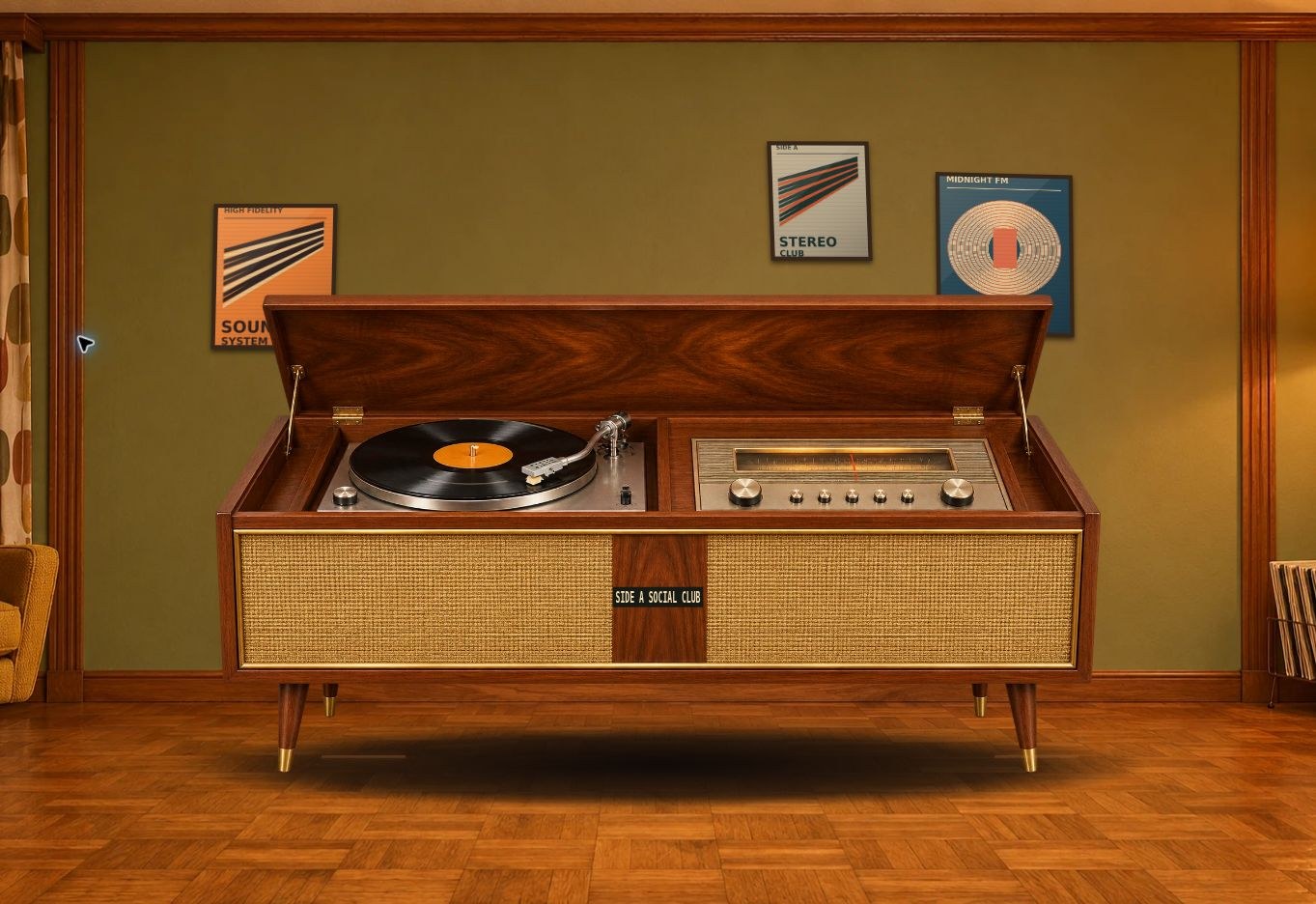
01 / A LITTLE LESS ORDINARY
Drop into a woodgrain lounge. Fire up a diner jukebox. Take over the decks. Same collection. A completely different feeling.
A floor-standing record console, a spinning record, and a room that feels like home.
Name your room, choose a machine, and save different setups for different moods.
Add pictures to the posters and frames. Layer your own stickers onto the machine.
Import your music, build playlists, save favorites, shuffle, or let one song repeat.
02 / FIND YOUR PART. FIND YOUR FLOW.
A verse you want to nail. A chorus you want to remember. Rehearse gives the tricky part all the time it needs.
Set a start and end as you listen, type exact times, or choose timed lyric lines. The section repeats until you’re ready to move on.
Type or paste lyrics straight into the panel. Edit a line and save it to the song—even while you practice.
Hide the lyrics to test your memory. Reveal them when you need a nudge. Your loop marks are saved for next time.
THE REHEARSAL RHYTHM
A little section. A big difference.Mark A → mark B → repeat. This silent visual shows the idea.
03 / YOUR TURN ON THE MIC
Turn a favorite song into your next singalong. Prepare a backing track, bring up the words, and find the key that feels right.
Separate vocals and music locally, then save the mix with your song. Compare a short section before preparing the full recording.
Bring the singer back with the guide-vocal slider. Adjust the key and check your microphone before your moment.
Import timed lyrics, type and sync your own, or review an automatic English lyric draft. Your saved lyrics stay with the song.
Separation quality depends on the recording. Artist-provided instrumentals and purchased karaoke tracks are also supported.
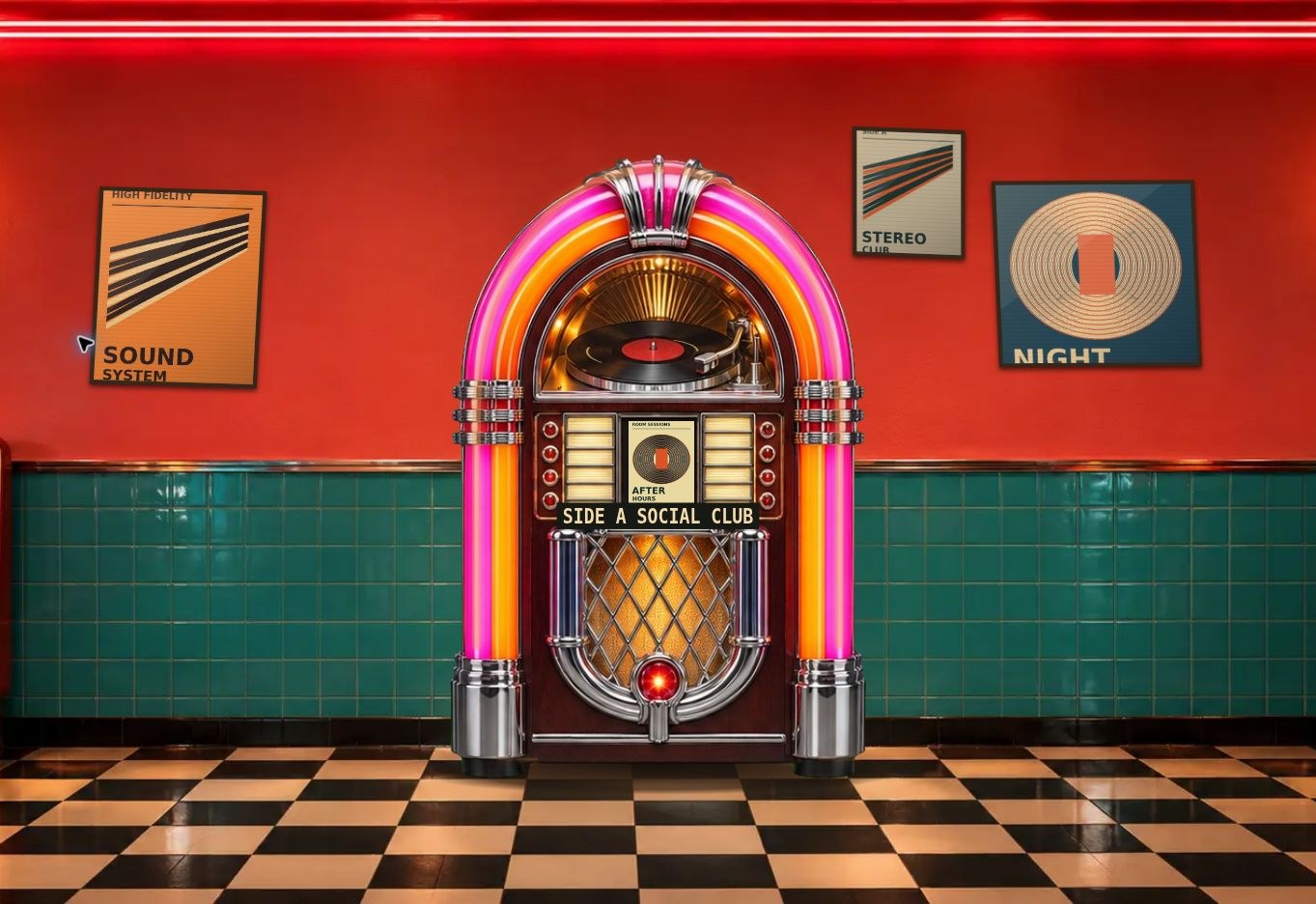
04 / TAKE OVER THE BIG SCREEN
The room fills the TV. You run the music from your PC. Guests on the same Wi-Fi scan a QR code to request a song, send a dedication, or join the singer queue.
The setup: a Windows PC + a TV as a second display.
For the simplest connection, use HDMI and Extend mode.
05 / SET THE MOOD
Go all in with Supergroove, settle into Midnight Hi-Fi, or keep it warm with Walnut Lounge. Your app’s overall feel can change with your mood.
Theme palette illustrations. Switch themes inside the Windows app.
THE B-SIDE / GOOD TO KNOW
Yes. Groovival is built around audio files you own. Import a folder to bring songs into your collection. It supports common formats including MP3, WAV, FLAC, M4A and Ogg. It isn’t a streaming subscription or a music store.
Yes. Saved lyrics, prepared karaoke mixes and each song’s rehearsal section stay in your local collection between sessions. Removing a song also removes its saved app data, so keep a copy of any lyrics you may want to import again.
Yes. Choose Remove from collection in a song’s menu. Groovival removes it from the app and its playlists while leaving the original music file on your drive.
The included separation engines and English lyric drafting run locally on your PC. Preparation time depends on the song, model and computer. Check automatically drafted lyrics before singing, and try the preview to hear how well a mix works for your recording.
No. In TV Party Mode, guests use a phone browser on the same local network and join through the host’s QR code. The Windows PC runs the app and the host approves requests.
The current preview is for Windows 11 x64. A TV is optional; use it as an extended second display for parties. Add a microphone for live singing. There is no Mac or mobile app in this release.
This is the RC8 Windows preview. The installer is unsigned, and real Windows-to-TV and microphone setups still need hands-on testing. Preview downloads currently open in ChatGPT and may require account access. Public distribution and pricing have not been announced.

YOUR NEXT LISTEN STARTS HERE
A little nostalgia. A lot of possibility. All your music.
Get the Windows preview Prefer a portable ZIP?Windows 11 x64 · RC8 preview · Unsigned installer
Downloads open in ChatGPT. Account access may be required.